
Introduction
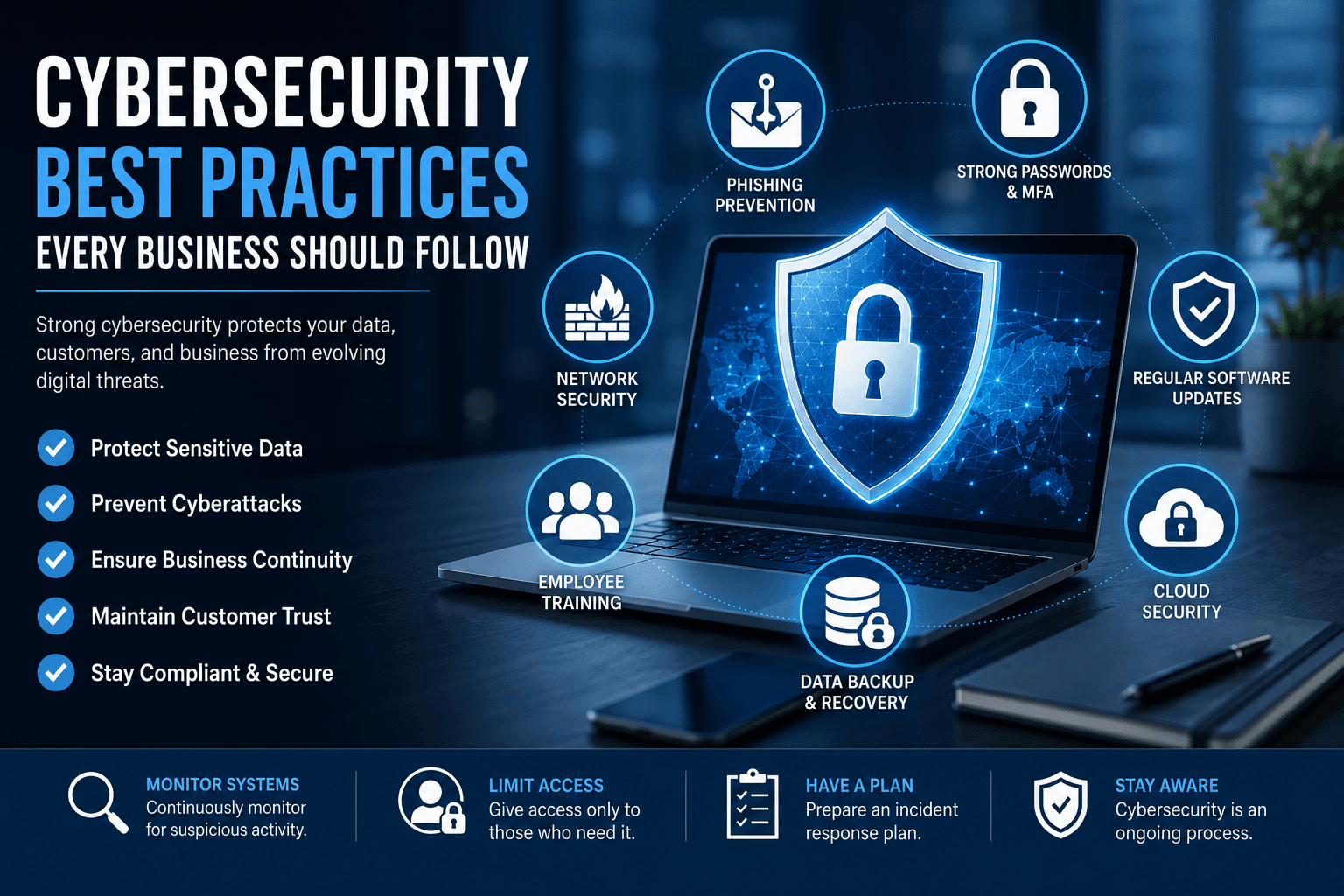
Cybersecurity has become one of the most critical priorities for businesses of every size. As organisations increasingly rely on digital technologies, cloud computing, remote work, and online communication, cybercriminals continue to develop more sophisticated methods to steal sensitive information, disrupt operations, and demand costly ransoms.
A single cyberattack can result in financial losses, reputational damage, legal consequences, and the loss of customer trust. Whether you operate a small business or a global enterprise, implementing strong cybersecurity practices is essential for protecting valuable data and ensuring business continuity.
This guide explores the most effective cybersecurity best practices every business should follow to reduce risks and build a secure digital environment.
Why Cybersecurity Matters
Modern businesses collect and store large amounts of confidential information, including customer records, financial data, employee information, intellectual property, and business strategies.
Without proper security measures, this information becomes an attractive target for hackers.
Strong cybersecurity helps businesses:
Protect sensitive information
Prevent financial losses
Maintain customer trust
Ensure regulatory compliance
Reduce downtime
Support business continuity
Protect company reputation
Cybersecurity is no longer just an IT responsibility—it is a business-wide priority.
Common Cyber Threats Businesses Face
Understanding today's cyber threats is the first step toward effective protection.
Some of the most common threats include:
Phishing Attacks
Cybercriminals send fraudulent emails or messages that trick employees into revealing passwords, financial information, or confidential business data.
Ransomware
Ransomware encrypts company files and demands payment before restoring access. These attacks can shut down entire business operations.
Malware
Malicious software infects computers, steals information, damages files, and creates vulnerabilities within business networks.
Insider Threats
Employees or contractors may intentionally or accidentally expose sensitive information through poor security practices.
Password Attacks
Weak or reused passwords make it easier for attackers to gain unauthorised access to business systems.
Best Practice 1: Use Strong Password Policies
Passwords remain the first line of defence.
Businesses should require employees to:
Create long, complex passwords
Avoid password reuse
Use password managers
Update passwords regularly
Never share login credentials
A strong password policy significantly reduces security risks.
Best Practice 2: Enable Multi-Factor Authentication (MFA)
Multi-factor authentication adds an additional security layer by requiring a second verification method beyond the password.
Examples include:
Authentication apps
SMS verification codes
Hardware security keys
Biometric authentication
Even if a password is compromised, MFA makes unauthorised access much more difficult.
Best Practice 3: Keep Software Updated
Outdated software often contains known security vulnerabilities.
Businesses should regularly update:
Operating systems
Business applications
Web browsers
Antivirus software
Firewalls
Cloud platforms
Automatic updates help ensure systems remain protected against newly discovered threats.
Best Practice 4: Train Employees Regularly
Human error remains one of the leading causes of cyber incidents.
Employee training should cover:
Recognising phishing emails
Safe internet browsing
Secure password management
Data protection policies
Reporting suspicious activity
Safe use of company devices
A well-informed workforce is one of the strongest cybersecurity defences.
Best Practice 5: Protect Business Networks
Secure networks help prevent unauthorised access.
Businesses should:
Install enterprise firewalls
Use encrypted Wi-Fi
Separate guest networks
Monitor network activity
Restrict administrative access
Network segmentation also limits the spread of cyberattacks.
Best Practice 6: Encrypt Sensitive Data
Encryption converts information into unreadable code that can only be accessed with authorised keys.
Businesses should encrypt:
Customer records
Financial information
Employee files
Emails
Cloud storage
Backup systems
Encryption protects data even if devices are stolen or compromised.
Best Practice 7: Back Up Data Frequently
Regular backups reduce the impact of ransomware and hardware failures.
Follow the 3-2-1 backup strategy:
Keep three copies of data
Store backups on two different media
Maintain one off-site or cloud backup
Test backup recovery regularly to ensure data can be restored quickly.
Best Practice 8: Limit User Access
Not every employee requires access to every system.
Implement the principle of least privilege by giving employees only the permissions needed for their roles.
This reduces both accidental mistakes and insider threats.
Best Practice 9: Secure Remote Work
Remote and hybrid work environments require additional security measures.
Businesses should use:
VPN connections
Secure home Wi-Fi
Endpoint protection
Device encryption
Remote device management
Employees should avoid using public Wi-Fi for sensitive business activities.
Best Practice 10: Monitor Systems Continuously
Continuous monitoring helps identify unusual behaviour before it becomes a serious incident.
Businesses should monitor:
Login attempts
Network traffic
File access
User activity
System alerts
Modern security monitoring tools use artificial intelligence to detect suspicious activity more quickly.
Cloud Security Best Practices
Cloud services provide flexibility but require proper security controls.
Businesses should:
Enable MFA
Encrypt cloud data
Review user permissions
Monitor cloud activity
Regularly audit cloud configurations
Choose reputable cloud providers
Shared responsibility between businesses and cloud providers is essential.
Develop an Incident Response Plan
Every organisation should prepare for potential cyber incidents.
An effective response plan should include:
Threat identification
Incident reporting procedures
Containment strategies
Data recovery plans
Communication guidelines
Post-incident analysis
Prepared businesses recover much faster after cyberattacks.
Stay Compliant with Regulations
Many industries must comply with data protection regulations.
Compliance helps businesses:
Protect customer information
Avoid legal penalties
Improve operational security
Strengthen customer confidence
Regular audits ensure continued compliance with changing regulations.
The Future of Business Cybersecurity
Cybersecurity continues to evolve alongside emerging technologies.
Businesses are increasingly adopting:
Artificial intelligence security tools
Zero Trust architecture
Behavioural analytics
Automated threat detection
Cloud-native security
Advanced endpoint protection
Future cybersecurity strategies will focus on proactive prevention rather than reacting after attacks occur.
Conclusion
Cybersecurity is no longer optional—it is a fundamental requirement for every modern business. From strong passwords and multi-factor authentication to employee training, data encryption, regular backups, and continuous monitoring, adopting proven security practices significantly reduces cyber risks.
As cyber threats continue to evolve, businesses must remain proactive, invest in security technologies, and educate employees to create a resilient digital environment. Organisations that prioritise cybersecurity not only protect their assets but also build customer trust, ensure regulatory compliance, and position themselves for sustainable long-term growth in an increasingly connected world.
Frequently Asked Questions (FAQs)
1. What is cybersecurity in business?
Cybersecurity in business refers to the practices, technologies, and policies used to protect company systems, networks, and sensitive data from cyber threats and unauthorized access.
2. Why is cybersecurity important for businesses?
Cybersecurity protects businesses from data breaches, financial losses, cyberattacks, legal issues, and reputational damage while ensuring business continuity.
3. What are the most common cyber threats?
Common cyber threats include phishing attacks, ransomware, malware, insider threats, password attacks, and data breaches.
4. How can businesses protect themselves from cyberattacks?
Businesses can improve security by using strong passwords, enabling multi-factor authentication (MFA), updating software regularly, training employees, and backing up important data.
5. What is multi-factor authentication (MFA)?
Multi-factor authentication is a security method that requires users to verify their identity using two or more authentication factors before accessing systems or accounts.
6. Why are strong passwords important?
Strong passwords make it harder for cybercriminals to gain unauthorized access to business accounts and sensitive information.
7. How often should businesses update their software?
Businesses should install security updates and software patches as soon as they become available to protect against newly discovered vulnerabilities.
8. What is ransomware?
Ransomware is malicious software that encrypts files or systems and demands payment to restore access.
9. How does employee training improve cybersecurity?
Employee training helps staff recognize phishing emails, avoid security mistakes, report suspicious activities, and follow company security policies.
10. What is data encryption?
Data encryption converts information into unreadable code, ensuring that only authorized users with the correct decryption key can access it.
11. Why are regular data backups important?
Regular backups allow businesses to recover critical information after ransomware attacks, hardware failures, or accidental data loss.
12. What is endpoint security?
Endpoint security protects devices such as laptops, desktops, smartphones, and tablets from malware, hacking attempts, and other cyber threats.
13. How can businesses secure remote employees?
Businesses should secure remote work by using VPNs, device encryption, multi-factor authentication, secure Wi-Fi, and endpoint protection software.
14. What is cloud security?
Cloud security involves protecting cloud-based applications, storage, and services through encryption, access controls, monitoring, and regular security audits.
15. What should a cybersecurity incident response plan include?
An incident response plan should include threat detection, reporting procedures, containment strategies, recovery steps, communication plans, and post-incident reviews.
16. What is the principle of least privilege?
The principle of least privilege means employees receive only the minimum system access required to perform their job responsibilities.
17. How does artificial intelligence improve cybersecurity?
AI helps detect unusual activities, identify threats in real time, automate security monitoring, and respond to cyber incidents more quickly.
18. Can small businesses become targets of cyberattacks?
Yes. Small businesses are frequently targeted because they may have fewer cybersecurity resources and weaker security measures than larger organizations.
19. How often should businesses conduct cybersecurity assessments?
Businesses should perform cybersecurity assessments at least annually and after major system changes, while continuously monitoring for emerging threats.
20. What are the long-term benefits of strong cybersecurity?
Strong cybersecurity protects sensitive data, builds customer trust, reduces financial risks, supports regulatory compliance, and strengthens long-term business resilience.