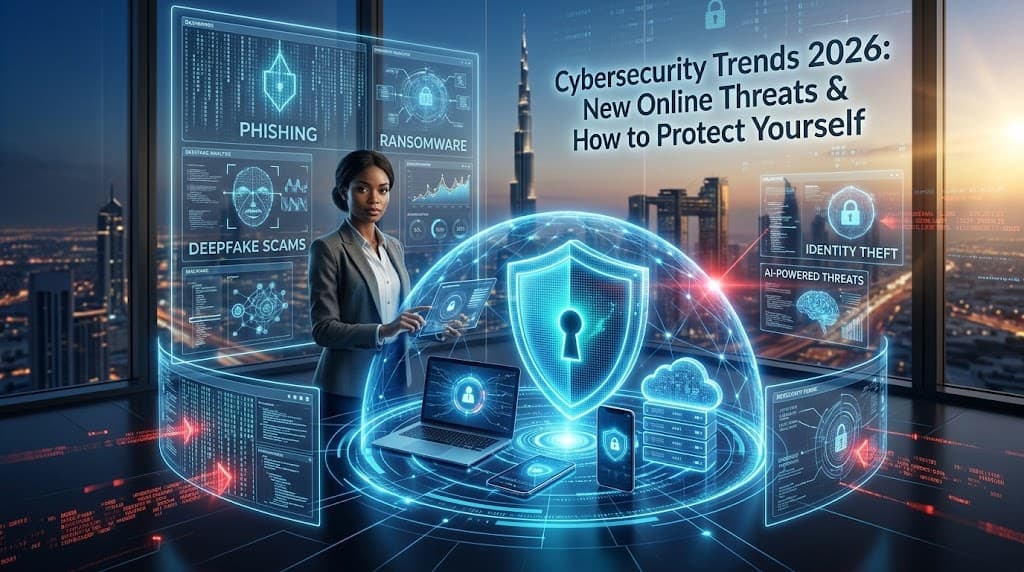
As more of our lives move online, cybersecurity has become an essential part of everyday life. People use smartphones, online banking, social media, cloud services, shopping platforms, and digital communication every day.
At the same time, cyber threats are becoming more sophisticated. Attackers can use automation, social engineering, stolen credentials, malicious software, and increasingly AI-assisted techniques to target individuals and organizations.
Understanding the major cybersecurity trends in 2026 can help users make smarter decisions and protect their personal information.
What Is Cybersecurity?
Cybersecurity is the practice of protecting computers, smartphones, networks, applications, accounts, and data from unauthorized access, damage, theft, or disruption.
It includes areas such as:
Account security
Network security
Data protection
Privacy
Malware protection
Identity protection
Cloud security
Application security
Cybersecurity is not only a concern for large companies. Individual users can also become targets.
1. AI-Powered Cyber Threats
Artificial intelligence can make cyberattacks more scalable and convincing.
Attackers may use AI-assisted technology to help create:
More convincing phishing messages
Automated social engineering
Fake content
Malicious code
Personalized scams
This means users cannot rely only on obvious spelling mistakes or poorly written messages to identify scams.
How to Stay Safer
Think carefully before clicking links or providing sensitive information. Verify unexpected requests through an independent and trusted channel.
2. Phishing Attacks
Phishing remains one of the most common forms of online fraud.
A phishing message may pretend to come from:
A bank
Social media platform
Delivery company
School or university
Employer
Government organization
The message may ask you to click a link, download an attachment, or provide login information.
Warning Signs
Look for:
Unexpected requests
Urgent language
Suspicious links
Requests for passwords
Unusual payment requests
Unknown attachments
When in doubt, visit the organization's official website directly instead of clicking the message link.
3. Ransomware
Ransomware is malicious software designed to prevent access to files or systems, often by encrypting data.
Attackers may demand payment in exchange for restoring access.
Businesses are particularly concerned about ransomware because an attack can disrupt operations and potentially expose sensitive information.
Protection Measures
Organizations and individuals should consider:
Regular backups
Security updates
Strong authentication
Access controls
Security awareness training
Endpoint protection
4. Identity Theft
Identity theft occurs when someone obtains and misuses another person's personal information.
Potentially valuable information can include:
Account credentials
Identification details
Financial information
Personal contact information
Protect personal information carefully and monitor important accounts for unusual activity.
5. Password Attacks
Weak or reused passwords can put multiple accounts at risk.
A strong password should be:
Long
Unique
Difficult to guess
Different for every important account
Using a reputable password manager can make it easier to manage unique passwords.
6. Multi-Factor Authentication
Multi-factor authentication, or MFA, adds another verification step beyond a password.
Depending on the service, this could involve:
An authentication app
A security key
A one-time code
Biometric verification
MFA can provide additional protection if a password is compromised.
7. Deepfake and Impersonation Scams
AI-generated audio, images, and videos can make impersonation scams more convincing.
A scammer may attempt to imitate a person's:
Voice
Face
Writing style
Identity
For important requests involving money or sensitive information, verify the request through another trusted communication method.
8. Mobile Security
Smartphones contain large amounts of personal information.
They may contain:
Photos
Messages
Contacts
Financial applications
Social media accounts
Authentication tools
Keep your phone updated, use a secure lock screen, install applications from trusted sources, and review app permissions.
9. Public Wi-Fi Risks
Public Wi-Fi can be convenient in airports, cafés, hotels, schools, and other locations.
However, users should be cautious when accessing sensitive accounts through unfamiliar networks.
Avoid entering highly sensitive information on networks you do not trust unless appropriate security protections are in place.
10. Cloud Security
Cloud services are widely used for storing files, photos, documents, and business information.
Cloud security depends on both the provider's controls and the user's account practices.
Important measures include:
Strong passwords
MFA
Appropriate sharing settings
Regular account reviews
Limited access permissions
11. Internet of Things Security
Smart devices can include:
Smart cameras
Watches
TVs
Speakers
Home appliances
Connected security systems
Each connected device can create another potential point of entry.
Change default passwords, install updates, and disable unnecessary features where appropriate.
12. Software Updates Matter
Security vulnerabilities can be discovered after software is released.
Developers may issue updates to fix these problems.
Ignoring updates can leave devices exposed to known vulnerabilities.
Enable automatic updates when appropriate and keep operating systems, browsers, applications, and security software current.
13. Social Engineering
Social engineering attacks target human behavior rather than only technical weaknesses.
An attacker might pretend to be:
A colleague
A friend
A family member
A customer
A company representative
The goal may be to convince the victim to reveal information or perform an action.
Pause when a request seems unusual, especially when it involves money, passwords, or confidential information.
14. Cybersecurity for Students
Students use many digital platforms for education and communication.
Good habits include:
Using strong passwords
Enabling MFA
Avoiding suspicious links
Keeping devices updated
Downloading software from trusted sources
Protecting school accounts
Avoiding oversharing personal information
These habits can remain useful throughout future education and employment.
15. Cybersecurity for Businesses
Businesses need layered security because a single compromised account can potentially affect other systems.
Important practices can include:
Employee training
MFA
Access controls
Regular backups
Security monitoring
Software updates
Incident response plans
Data protection
Companies should regularly review who has access to sensitive systems.
16. AI for Cybersecurity
AI is not only being used by attackers.
Security teams can also use AI-assisted systems to help identify unusual activity, analyze large amounts of security data, and prioritize potential threats.
However, AI-based security tools still require appropriate configuration, monitoring, and human expertise.
17. Protecting Your Online Privacy
Cybersecurity and privacy are closely connected.
Users should understand what information they share with websites and applications.
Review:
App permissions
Account privacy settings
Location access
Camera and microphone permissions
Data-sharing preferences
Only provide information that is genuinely necessary.
18. Back Up Important Data
Backups can help reduce the impact of data loss caused by:
Hardware failure
Malware
Accidental deletion
Lost devices
Ransomware
Keep important files backed up using a reliable method and consider maintaining backups that are not continuously accessible from the main device.
19. What to Do If Your Account Is Hacked
If you suspect an account has been compromised:
Change the password immediately.
Use a secure device if possible.
Sign out of unknown sessions.
Enable MFA.
Check account recovery settings.
Review recent activity.
Contact the service provider if necessary.
Monitor other accounts using the same information.
If you reused the compromised password elsewhere, change it there too.
20. Simple Cybersecurity Checklist for 2026
Use this checklist to improve your digital security:
☑ Use unique passwords
☑ Enable MFA
☑ Keep software updated
☑ Back up important files
☑ Be cautious with links
☑ Verify unusual requests
☑ Review app permissions
☑ Secure your smartphone
☑ Monitor financial accounts
☑ Learn to recognize phishing
Common Cybersecurity Mistakes
Some common mistakes include:
Reusing passwords
Ignoring software updates
Clicking suspicious links
Sharing authentication codes
Installing unknown applications
Oversharing personal information
Leaving accounts logged in on shared devices
Trusting unexpected requests without verification
Avoiding these simple mistakes can significantly improve everyday digital safety.
The Future of Cybersecurity
Cybersecurity will continue evolving as technology changes.
AI, cloud computing, connected devices, digital payments, and increasingly complex online services will create both opportunities and security challenges.
The strongest approach is not relying on one security feature. Instead, users and organizations should combine strong authentication, software updates, backups, privacy awareness, monitoring, and good security habits.
Final Thoughts
Cybersecurity in 2026 is a shared responsibility.
Technology can provide powerful protection, but everyday user behavior remains important.
Using unique passwords, enabling multi-factor authentication, keeping software updated, recognizing phishing attempts, protecting personal information, and maintaining backups can help reduce common online risks.
As cyber threats evolve, staying informed and cautious is one of the most practical ways to protect your digital life.
20 Frequently Asked Questions
1. What is cybersecurity?
Cybersecurity is the practice of protecting digital devices, systems, networks, accounts, and information from cyber threats.
2. What are the biggest cybersecurity threats in 2026?
Major concerns include phishing, ransomware, credential theft, social engineering, identity theft, and AI-assisted scams.
3. What is phishing?
Phishing is an attack in which someone attempts to trick you into revealing information or performing an unsafe action.
4. Is MFA important?
Yes. Multi-factor authentication provides an additional verification layer beyond a password.
5. How often should passwords be changed?
Use unique passwords for important accounts and change them when they are compromised or when a service recommends doing so.
6. Should I use a password manager?
A reputable password manager can help create and store unique passwords securely.
7. Can AI be used in cyberattacks?
Yes. AI can potentially assist attackers with automation, content generation, and social engineering.
8. Can AI help cybersecurity teams?
Yes. AI-assisted tools can help analyze security information and identify unusual patterns.
9. What is ransomware?
Ransomware is malicious software that can restrict access to systems or data, often by encrypting files.
10. How can I recognize a phishing message?
Be cautious of unexpected messages, urgent requests, suspicious links, unusual payment requests, and requests for sensitive information.
11. Is public Wi-Fi safe?
Public Wi-Fi varies in security. Avoid sensitive activities on networks you do not trust and use appropriate security protections.
12. Why are software updates important?
Updates can include fixes for known security vulnerabilities.
13. How can I protect my smartphone?
Use a secure screen lock, install updates, download apps from trusted sources, and review permissions.
14. What is identity theft?
Identity theft involves obtaining and misusing another person's personal information.
15. Are deepfakes a cybersecurity risk?
They can be used in impersonation and fraud attempts, so unusual requests should be independently verified.
16. Why are backups important?
Backups can help recover important information after accidental deletion, hardware failure, or certain cyber incidents.
17. How can students stay safe online?
Students should use strong passwords, MFA, updated devices, trusted software, and caution with links and attachments.
18. How can businesses improve cybersecurity?
Businesses can use layered security measures such as MFA, access controls, backups, employee training, monitoring, and incident response planning.
19. What should I do if my account is hacked?
Change the password, enable MFA, review account activity and recovery settings, and contact the service provider if necessary.
20. What is the most important cybersecurity habit?
There is no single protection that solves every risk. A combination of strong authentication, updates, backups, cautious online behavior, and security awareness is useful.