RIRising Inflation in 2026: Smart Money Strategies for Households and Small Businesses
Introduction
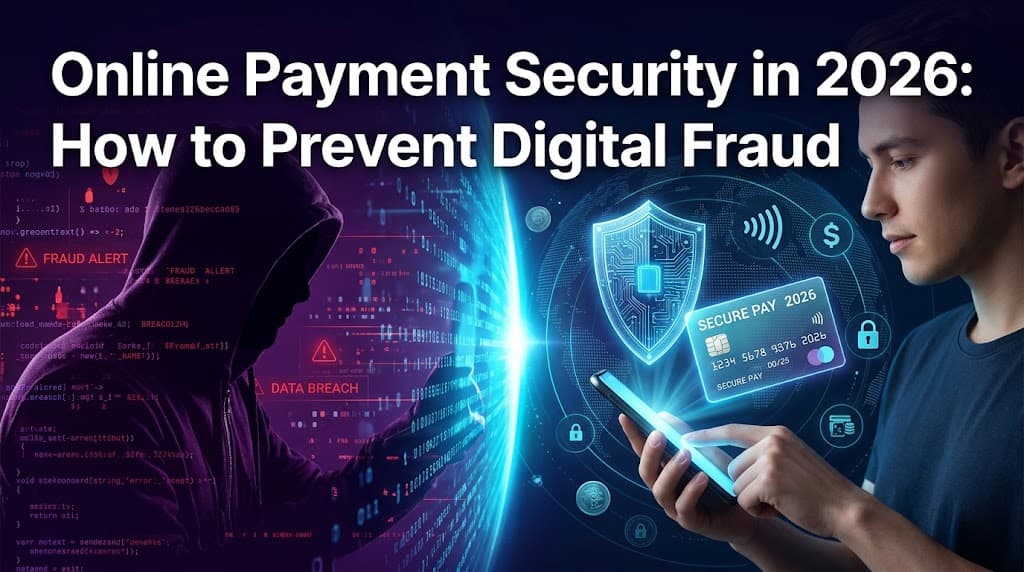
Online payments have become an essential part of everyday life. From shopping on e-commerce websites to paying bills, transferring money, and subscribing to digital services, consumers and businesses increasingly depend on electronic transactions. Digital wallets, mobile banking applications, contactless payments, and online payment gateways offer speed and convenience, but they also create opportunities for cybercriminals.
Online payment fraud can involve fake payment messages, phishing emails, fraudulent websites, stolen card details, account takeovers, and unauthorized transactions. A single mistake can expose sensitive financial information or cause significant financial losses.
In 2026, protecting digital payments requires more than using a strong password. Consumers must recognize suspicious messages, verify payment requests, secure their devices, and monitor their accounts. Businesses also need reliable payment systems, employee training, and clear procedures for detecting fraud.
This guide explains the most common online payment threats and provides practical steps consumers and businesses can use to improve digital payment security.
What Is Online Payment Security?
Online payment security refers to the technologies, procedures, and habits used to protect electronic transactions and financial information from unauthorized access, theft, and fraud.
It involves protecting information such as:
Credit and debit card details
Online banking credentials
Digital wallet accounts
One-time passwords and verification codes
Personal identification information
Business payment records
Secure payment systems may use encryption, tokenization, multifactor authentication, transaction monitoring, and fraud detection tools. However, technology alone cannot prevent every attack. Users must also understand how scammers operate and how to respond to suspicious activity.
Common Online Payment Fraud Risks in 2026
1. Phishing Emails and Messages
Phishing is a common form of digital fraud. Criminals send emails, text messages, or social media messages pretending to represent banks, delivery companies, payment providers, or online stores.
These messages may claim that an account has been suspended, a payment has failed, or a parcel cannot be delivered. Victims are encouraged to click a link and enter their login credentials or card details.
How to stay safe:
Avoid clicking unexpected payment links.
Visit the official website or app directly.
Check the sender's details carefully.
Never share passwords or verification codes through messages.
Contact your bank through its official customer service channel if a message seems suspicious.
2. Fake Payment Confirmations
Fraudsters sometimes send edited screenshots, fake receipts, or fraudulent transaction notifications to convince sellers that they have received money.
This can affect online sellers, freelancers, delivery businesses, and people selling products through social media.
How to stay safe: Always verify the transaction inside your own bank account or payment provider's official application. Do not release products or services based only on a screenshot or message from a buyer.
3. Fraudulent Shopping Websites
Fake online stores may advertise popular products at unusually low prices. After collecting payment information, they may deliver counterfeit goods, send nothing, or misuse customers' personal details.
Before buying from an unfamiliar store, review its contact information, return policy, reputation, and payment options. Look for independent customer reviews rather than relying only on testimonials published on the website.
A padlock symbol and HTTPS connection indicate an encrypted connection, but they do not guarantee that a website or seller is legitimate.
4. Digital Wallet and Banking Account Takeovers
An account takeover occurs when a criminal gains access to someone else's financial account. This may happen through stolen passwords, phishing, malware, or compromised email accounts.
Once inside, the criminal may change account settings, transfer money, or add an unauthorized payment method.
Use a unique password for every important account, enable multifactor authentication where available, and secure the email account connected to your financial services.
5. Fake Refunds and Customer Support Scams
Scammers may impersonate bank representatives, online marketplace employees, or technical support agents. They might promise a refund, claim that an account is compromised, or request remote access to a device.
Never install remote-access software or disclose sensitive banking information because an unexpected caller asks you to do so. End the call and contact the organization using a trusted number or official application.
Best Ways to Protect Online Payments
Use Strong, Unique Passwords
A strong password should be difficult to guess and should not be reused across multiple accounts. A password manager can help generate and store unique passwords securely.
Avoid using birthdays, simple number sequences, or familiar names. If a service supports passkeys, consider using them because they can help protect against conventional password phishing.
Enable Multifactor Authentication
Multifactor authentication, or MFA, adds another verification step when signing in or approving certain actions.
Depending on the service, this may involve an authenticator application, security key, passkey, or one-time code. Use the strongest practical option supported by your bank or payment provider.
Never share a verification code with someone who contacts you unexpectedly. A legitimate-looking caller may still be a fraudster.
Use Trusted Payment Methods
Whenever possible, pay through reputable payment providers or established payment gateways. Virtual card numbers or tokenized wallet payments may reduce the need to share your actual card number with merchants.
Choose a payment method that provides suitable transaction alerts and dispute procedures. Understand the provider's terms before making a purchase.
Avoid transferring money to unknown individuals through methods that offer limited recovery options, especially when a seller pressures you to act immediately.
Keep Devices and Applications Updated
Outdated operating systems, browsers, and banking applications may contain security weaknesses.
Install updates from official sources and remove applications you no longer use. Avoid installing financial apps from unofficial websites or clicking download links in unsolicited messages.
Use a device screen lock and do not leave an authenticated banking session open on a shared computer.
Avoid Sensitive Transactions on Untrusted Networks
Public Wi-Fi can create additional security risks, particularly when networks are poorly configured or impersonated by attackers.
For sensitive financial transactions, prefer a trusted network and your bank's official application. If you must use public Wi-Fi, avoid unexpected network prompts and never ignore browser security warnings.
A VPN can protect some network traffic, but it does not make a fraudulent website safe or prevent you from voluntarily giving information to a scammer.
Turn On Transaction Alerts
Enable available notifications for card purchases, transfers, login attempts, and changes to account settings.
Review account activity regularly. If you notice an unfamiliar transaction, contact your bank or payment provider immediately using an official channel.
Early reporting can improve the chances of limiting further unauthorized activity, although refunds and recovery are not guaranteed.
Online Payment Security Tips for Small Businesses
Businesses face risks that go beyond individual transactions. A compromised business email account or payment system may expose customer information, interrupt operations, and damage customer trust.
1. Choose a Reputable Payment Processor
Select a payment processor with appropriate security controls, fraud monitoring, customer support, and transparent fees.
Confirm that its services meet the requirements relevant to your location and industry. Businesses that accept card payments should understand their applicable payment-card security obligations.
Avoid collecting or storing sensitive card details unnecessarily. Using a reputable hosted checkout page can reduce the amount of payment information handled directly by your business.
2. Train Employees to Recognize Fraud
Employees should know how to identify phishing messages, fake invoices, suspicious refund requests, and unusual payment instructions.
Provide clear procedures for verifying supplier bank-account changes. For example, confirm a change through a previously verified phone number rather than relying on the contact details contained in the new email.
Training should be practical and repeated regularly, especially when payment procedures or business software change.
3. Verify High-Value Transactions
Fraudsters may impersonate executives, customers, or suppliers to request urgent payments.
For high-value transfers, establish an approval process that requires independent verification or authorization by another responsible employee.
Do not allow urgency, secrecy, or pressure to override normal financial controls.
4. Limit Access to Financial Systems
Give employees access only to the systems and information required for their roles. Use separate accounts rather than shared passwords wherever possible.
Remove access promptly when employees leave or change positions. Review administrator privileges and enable MFA for payment platforms, business email, and financial accounts.
5. Monitor Transactions for Unusual Activity
Watch for repeated failed payments, unusual purchase amounts, sudden changes in transaction patterns, and suspicious refund requests.
Payment processors may provide built-in fraud detection features. Configure them carefully and review flagged transactions before fulfilling orders when appropriate.
No fraud detection system is perfect, so combine automated monitoring with human review.
6. Create an Incident Response Plan
Every business should know what to do if payment information is compromised.
A basic plan should identify who contacts the bank, who investigates the incident, how affected systems are secured, and who communicates with customers when necessary.
Keep contact information for financial providers and relevant service partners available in a secure, accessible location.
What to Do If You Become a Victim of Online Payment Fraud
If you suspect that a payment account or card has been compromised, act quickly.
Step 1: Contact your bank or payment provider. Use the official application or a verified telephone number. Report unauthorized transactions and ask whether the card or account should be blocked.
Step 2: Secure your accounts. Change compromised passwords from a trusted device. Secure your email account and enable multifactor authentication where available.
Step 3: Preserve evidence. Save transaction references, messages, emails, receipts, and screenshots. Do not delete relevant evidence before documenting the incident.
Step 4: Report the incident. Follow your bank's dispute process and report suspected fraud to the appropriate consumer protection or cybercrime authority in your country.
Step 5: Monitor your financial activity. Check recent transactions and watch for additional suspicious activity. If identity information was exposed, take any further protective steps recommended by your financial institution or relevant authorities.
Never pay an unknown person who promises to recover stolen funds for an upfront fee. Fraud victims are sometimes targeted again by fake recovery services.
The Future of Online Payment Security
Payment security is evolving as digital commerce grows. Passkeys, tokenization, biometric verification, behavioral analytics, and automated fraud detection can help make transactions safer and more convenient.
Artificial intelligence can help financial institutions identify unusual transaction patterns, but criminals may also use advanced tools to create convincing messages and impersonations. For this reason, consumers and businesses should not rely on technology alone.
The most effective approach combines secure payment infrastructure, sensible verification procedures, regular monitoring, and informed users. Security practices should evolve as payment technologies and fraud techniques change.
Frequently Asked Questions (FAQs)
1. What is the safest way to pay online?
Use a reputable payment provider, an official checkout page, or a trusted digital wallet. Enable available security features, verify the merchant, and monitor transactions. No payment method eliminates every risk.
2. How can I identify an online payment scam?
Warning signs include unexpected links, urgent threats, unusually attractive offers, requests for verification codes, suspicious payment instructions, and pressure to use irreversible payment methods.
3. Is it safe to save card details on shopping websites?
It depends on the merchant's security practices and your account protection. Saving card details with a reputable provider may be convenient, but it increases the importance of securing your account. Consider tokenized or virtual card options where available.
4. Are digital wallets safer than physical cards?
Digital wallets may add protections such as tokenization and device authentication. However, account compromise, device theft, and social engineering can still create risks. Keep your device secure and enable authentication.
5. Is online banking safe in 2026?
Online banking can be secure when financial institutions use appropriate safeguards and customers follow good security practices. Use official apps, unique passwords, MFA, and transaction alerts.
6. What should I do if I click a suspicious payment link?
Do not enter any information. If you already entered credentials, change the affected passwords from a trusted device and contact your bank if financial information was exposed. If you downloaded a file or application, disconnect the affected device from sensitive accounts and seek trusted technical assistance.
7. Should I share an OTP with a bank representative?
No. Never disclose a one-time password or verification code to an unexpected caller or message sender. Contact your bank through its official channel if you are unsure about a request.
8. Can a website with HTTPS still be fraudulent?
Yes. HTTPS encrypts the connection between your browser and the website, but scammers can also use HTTPS. Check the website address, seller reputation, contact details, and payment terms.
9. How can small businesses prevent payment fraud?
Use a reputable payment processor, enable MFA, train employees, verify supplier payment changes independently, monitor transactions, and restrict access to financial systems.
10. How can sellers avoid fake payment screenshots?
Check the transaction directly in the official payment application or bank account. Do not release goods based solely on screenshots, emails, or messages supplied by a buyer.
11. Is public Wi-Fi safe for online payments?
Trusted mobile data or a secure private network is generally preferable for sensitive transactions. Avoid unknown networks and never ignore security warnings. A VPN does not protect you from every type of fraud.
12. What is tokenization in payment security?
Tokenization replaces sensitive payment information, such as a card number, with a substitute token. Depending on the system, this can reduce exposure of the original card details during transactions.
13. What is multifactor authentication?
Multifactor authentication requires two or more types of verification, such as something you know and something you possess. It can make account access harder for criminals even when a password is stolen.
14. How often should I check my bank account?
Check your account regularly and enable transaction alerts. Review activity after purchases and report unfamiliar transactions as soon as possible.
15. Can I recover money lost to online payment fraud?
Recovery depends on the payment method, circumstances, provider policies, and applicable laws. Contact your bank or provider immediately, preserve evidence, and follow its dispute procedure. Recovery is not guaranteed.
16. How do I protect my digital wallet?
Use a strong device passcode, secure your wallet account, enable supported authentication features, keep software updated, and avoid sharing verification codes. Report a lost device or suspicious transaction promptly.
17. What is an account takeover?
An account takeover occurs when an unauthorized person gains control of an account. It can lead to stolen funds, altered account details, or fraudulent transactions. Unique passwords and MFA can reduce the risk.
18. Are payment links sent through social media safe?
Not automatically. Scammers can send fraudulent links through social platforms. Verify the seller independently and open the official payment service yourself instead of relying on an unexpected link.
19. What should a business do after a payment data breach?
Secure affected systems, contact relevant payment providers, investigate the incident, preserve evidence, and follow applicable reporting and notification requirements. Obtain professional cybersecurity support when necessary.
20. What is the most important online payment security habit?
Pause and verify before sending money or sharing sensitive information. Independently confirm payment requests, check account activity, and never let urgency pressure you into bypassing security procedures.
Conclusion
Online payment security is essential for consumers, freelancers, online sellers, and businesses of every size. As digital transactions become more common, fraud prevention requires a combination of reliable payment systems, secure accounts, informed decisions, and regular monitoring.
Use unique passwords, enable multifactor authentication, keep devices updated, verify payment requests independently, and report suspicious activity quickly. Businesses should also train employees, limit financial-system access, and establish clear procedures for approving payments and responding to incidents.
No single tool can prevent every scam. However, consistent security habits can reduce exposure to fraud, protect sensitive information, and help build confidence in digital commerce throughout 2026 and beyond.