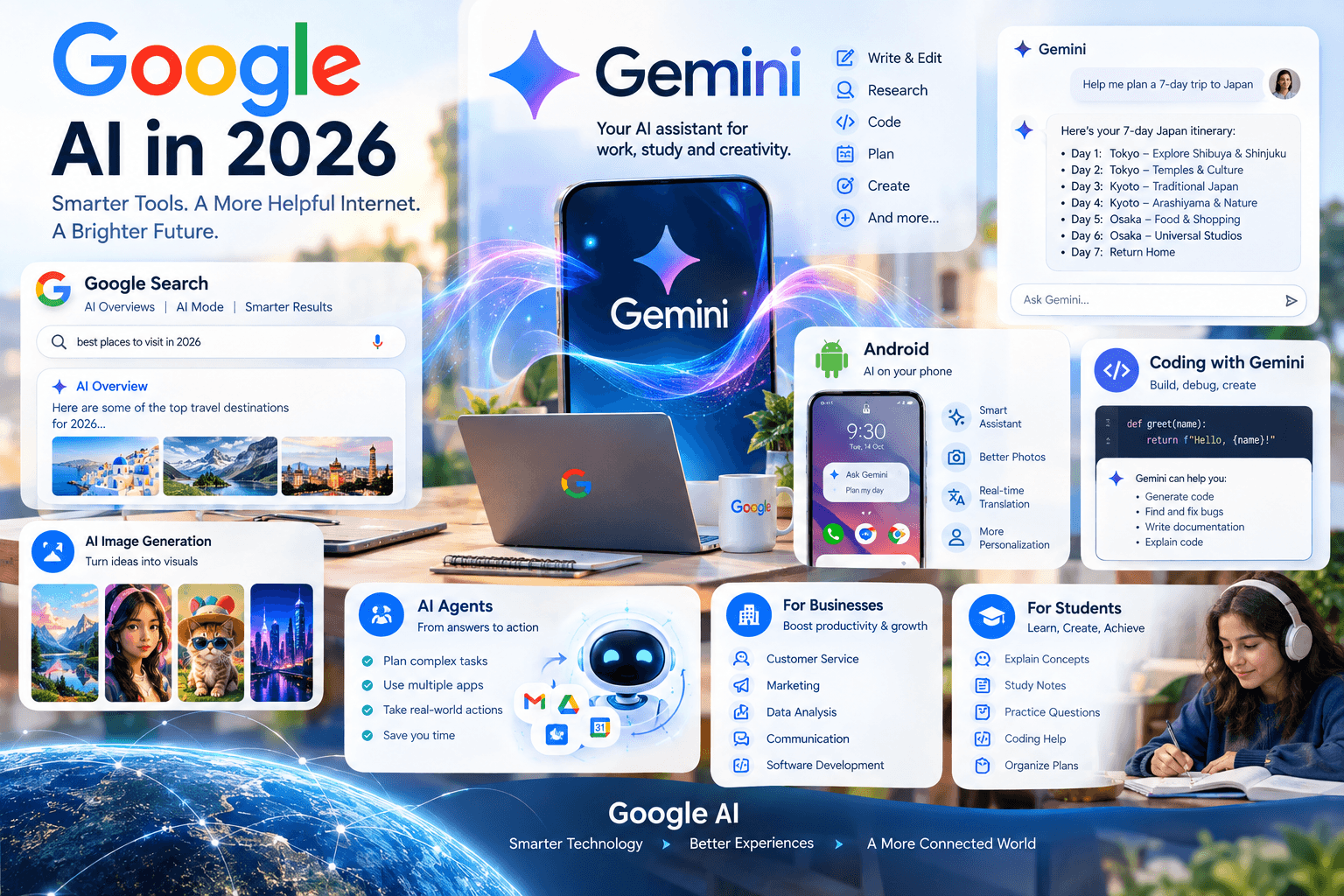

Artificial intelligence is becoming a central part of Google's products in 2026. From Gemini and Google Search to Android, Workspace, Chrome, and productivity tools, Google is increasingly integrating AI into everyday digital experiences.
The company's AI strategy is moving beyond standalone chatbots toward systems that can understand information, work across different formats, assist with tasks, and provide more personalized experiences.
What Is Google AI in 2026?
Google AI refers to the growing collection of artificial intelligence technologies integrated across Google's products and services.
The most visible part of this ecosystem is Gemini, Google's family of AI models and applications. Gemini can work with different types of information, including text, images, audio, video, and code, depending on the product and model.
Google is also incorporating AI into Search, Workspace, Android, Chrome, Photos, and other services.
Gemini: The Center of Google's AI Strategy
Gemini has become one of Google's most important AI products.
Instead of being limited to answering simple questions, Gemini is designed to help users with tasks such as:
Writing and editing
Research
Summarizing information
Coding
Brainstorming
Image understanding
Planning
Learning
Productivity
The capabilities available to users vary depending on the Gemini product, account, device, and subscription.
Google Search Is Changing With AI
One of the biggest developments in search is the integration of generative AI into search experiences.
Traditional search typically provides a list of webpages. AI-powered search experiences can instead organize information into summaries and conversational responses while still allowing users to explore underlying sources.
This creates a major change in how people discover information online.
AI Overviews
AI-generated summaries can appear for certain searches, helping users understand a topic without opening multiple webpages.
However, users should still check the cited sources, particularly for medical, financial, legal, or other important information.
AI Mode
Google has also been developing more conversational search experiences that allow users to ask follow-up questions and explore complicated topics through multiple queries.
This moves search closer to an interactive research assistant.
Gemini and Google Workspace
AI is becoming increasingly integrated into Google's productivity ecosystem.
Depending on availability and account type, AI features can assist with:
Gmail
Google Docs
Google Sheets
Google Slides
Google Meet
Google Drive
For example, AI can help users draft emails, summarize information, organize content, and work with documents.
These capabilities can reduce repetitive work and help users focus on higher-level tasks.
Google AI for Students
Students are another major group benefiting from AI-powered tools.
Gemini and other educational AI features can help with:
Explaining difficult concepts
Creating study notes
Brainstorming
Summarizing material
Practicing questions
Understanding coding concepts
Organizing study plans
Students should use AI as a learning aid rather than simply copying generated answers. Checking information and understanding the material remain important.
Google AI and Android
Google is also integrating AI more deeply into Android.
AI-powered features can assist with communication, image editing, search, accessibility, productivity, and device interactions.
As smartphone hardware becomes more capable, some AI processing can also happen directly on devices, potentially improving speed and privacy for supported features.
Gemini and Coding
Software development is another major area for Google's AI tools.
Gemini can assist developers with:
Generating code
Explaining code
Debugging
Writing documentation
Creating tests
Understanding large codebases
Brainstorming technical solutions
AI coding tools can increase productivity, but developers still need to review generated code for bugs, security problems, and compatibility issues.
Google AI and Image Generation
Generative AI has also expanded into image creation and editing.
AI image tools can help users create visual concepts from text instructions, modify images, and experiment with creative ideas.
These tools are increasingly relevant to:
Designers
Marketers
Students
Content creators
Social media teams
Businesses
The availability and capabilities of specific image-generation features can vary across Google products and regions.
AI Agents and Google
A major direction for AI development is the move from answering questions toward taking actions.
AI agents are designed to perform multiple steps toward a goal. In Google's ecosystem, this could eventually mean AI helping users coordinate information, applications, searches, and other digital tasks.
Agentic AI raises additional questions around privacy, permissions, reliability, and user control, making responsible deployment particularly important.
Google AI and Businesses
Businesses are increasingly using AI to improve productivity and automate routine tasks.
Potential applications include:
Customer Service
AI can help answer common questions and organize customer information.
Marketing
AI can assist with content creation, research, campaign planning, and analysis.
Data Analysis
AI can help users interpret large datasets and identify patterns.
Communication
Employees can use AI to draft emails, summarize meetings, and organize documents.
Software Development
Developers can use AI tools throughout the coding and testing process.
Benefits of Google AI
Google's expanding AI ecosystem can offer several potential benefits:
Faster information discovery
Improved productivity
Personalized assistance
Easier content creation
Better accessibility
Coding assistance
Automated repetitive tasks
More conversational search
The usefulness of these features depends on the specific task and how accurately the AI performs it.
Challenges and Limitations
AI technology also has important limitations.
Accuracy
AI systems can generate incorrect information or misunderstand a question.
Privacy
Users should understand what information an AI feature can access and how their data is handled.
Overreliance
AI-generated answers should not automatically be treated as authoritative.
Bias
AI systems can reflect limitations or biases present in their training data and evaluation processes.
Copyright and Content
Generative AI raises continuing questions about copyrighted material, ownership, attribution, and responsible content creation.
What Google's AI Future Could Look Like
Google's AI development is increasingly focused on connecting models with search, applications, devices, and digital services.
The long-term direction could involve AI becoming less like a separate application and more like an integrated assistant throughout the Google ecosystem.
Users may increasingly interact with information through conversational interfaces while AI handles more complex research and productivity workflows.
How Google AI Could Affect the Internet
AI-powered search may change how websites receive traffic and how publishers create content.
If users receive more information directly within search results, websites may need to focus on:
Original research
Accurate information
Expert insights
Useful experiences
Strong topical authority
Clear and trustworthy content
Search optimization is therefore evolving alongside AI.
Conclusion
Google AI in 2026 represents a broader shift from traditional software toward intelligent, conversational, and increasingly automated digital experiences.
Gemini, AI-powered Search, Workspace features, Android integrations, coding tools, and emerging agentic systems are all contributing to this transformation.
The biggest change may be that AI is becoming less of a separate technology and more deeply integrated into the tools people already use every day.
FAQs
1. What is Google AI?
Google AI is the collection of artificial intelligence technologies and products developed and integrated by Google across services such as Gemini, Search, Android, and Workspace.
2. What is Gemini?
Gemini is Google's family of AI models and applications designed for tasks such as conversation, writing, research, coding, and multimodal understanding.
3. Is Google Gemini free?
Google offers Gemini access through different products and plans, with availability and capabilities varying by account, region, and subscription.
4. What is Google AI Search?
Google AI Search refers to AI-powered experiences that help users understand search queries through generated summaries, conversational interactions, and other AI features.
5. Is Google Search changing because of AI?
Yes. Google has been incorporating AI-generated information and conversational features into its search experience.
6. What are AI Overviews?
AI Overviews are AI-generated summaries that can appear for certain Google searches and provide a synthesized explanation of information.
7. What is Google AI Mode?
AI Mode is a more conversational search experience designed to help users explore questions through AI-powered responses and follow-up interactions.
8. Can Gemini write essays?
Gemini can assist with brainstorming, outlining, drafting, and editing, although users should verify information and follow applicable academic policies.
9. Can Gemini help with coding?
Yes. Gemini can assist with code generation, explanations, debugging, documentation, and other development tasks.
10. Can Google AI create images?
Google provides AI-powered image-generation and editing capabilities through its AI products, with specific features depending on the service and availability.
11. Can Google AI summarize documents?
Yes. Supported Google AI features can summarize and work with information in documents and other content.
12. Is Google AI useful for students?
It can help students understand concepts, organize information, brainstorm, practice, and study.
13. Can Google AI replace Google Search?
AI-powered search is changing how users interact with Google, but traditional search results and webpages remain important sources of information.
14. Is Google AI accurate?
AI can provide useful information but can also make mistakes. Important information should be verified against reliable sources.
15. Does Google AI use personal data?
Different Google AI products can process different types of user data. Users should review the privacy information and settings applicable to the specific product they use.
16. What is Google's AI strategy?
Google is integrating AI across Search, Gemini, Android, Workspace, Chrome, cloud services, and other products rather than limiting AI to one standalone application.
17. Can Google AI help businesses?
Yes. Businesses can use AI for productivity, research, customer support, marketing, software development, data analysis, and other workflows.
18. What are AI agents?
AI agents are systems designed to perform multiple actions toward a goal, potentially using external tools and applications.
19. Will Google AI change SEO?
AI-powered search can change how users discover information, making original, useful, trustworthy, and well-structured content increasingly important.
20. What is the future of Google AI?
Google is continuing to develop more capable AI models and integrate them into search, devices, applications, and productivity tools.
21. Can Gemini analyze images?
Supported Gemini experiences can understand and analyze images along with other types of information.
22. Can Google AI help with presentations?
Google's AI features can assist with creating, organizing, and editing presentation content in supported Workspace products.
23. Can Google AI summarize emails?
Supported Gemini features in Gmail can assist with email summarization and drafting.
24. Is Google AI available on Android?
Google has integrated AI capabilities into Android and supported devices, although specific features vary by device, software version, region, and account.
25. What are the biggest Google AI trends in 2026?
Major areas include Gemini, AI-powered Search, multimodal AI, AI agents, productivity tools, mobile AI, coding assistance, and generative content.
26. Can Google AI work offline?
Some AI capabilities can operate on-device, while others require cloud processing or an internet connection. This varies by feature and device.
27. Is Google AI better than traditional search?
AI search and traditional search serve different purposes. AI can synthesize information conversationally, while traditional search provides direct access to webpages and sources.
28. Can Google AI automate tasks?
Some AI products can assist with or automate selected workflows, depending on the available integrations and permissions.
29. What should users do when AI gives an incorrect answer?
Check the information against reliable sources, especially when the information affects health, finances, education, legal matters, or other important decisions.
30. Why is Google investing heavily in AI?
AI can enhance Google's major products and create new ways for users and businesses to search, communicate, create, analyze information, and complete tasks.