Introduction
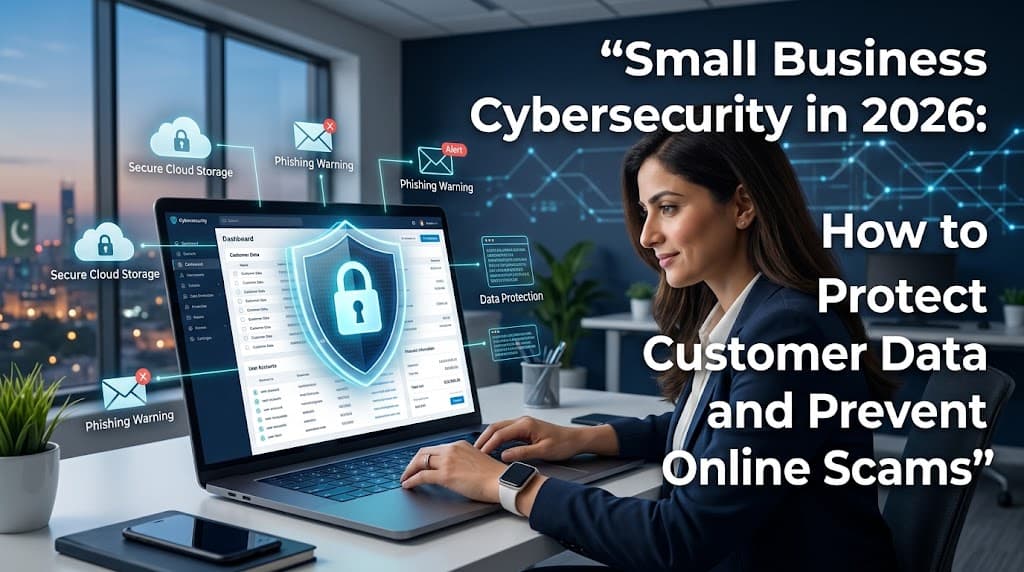
Cybersecurity has become an essential part of running a small business in 2026. Companies increasingly depend on websites, online payments, email, cloud storage, and digital communication to serve customers and manage daily operations. Although these tools create new opportunities, they also introduce security risks that businesses must understand.
Small businesses may assume that cybercriminals only target large corporations. However, businesses of every size can face phishing emails, stolen passwords, fraudulent payment requests, ransomware, and unauthorized access to sensitive information. A single security incident can interrupt operations, damage customer trust, and create unexpected recovery expenses.
The good news is that protecting a business does not always require a large cybersecurity budget. Practical measures such as enabling multifactor authentication, updating software, backing up important files, training employees, and securing payment systems can significantly improve security.
This guide explains common cybersecurity threats facing small businesses in 2026 and provides practical steps to protect customer data, reduce online fraud, and build a safer digital working environment.
What Is Small Business Cybersecurity?
Small business cybersecurity refers to the technologies, procedures, and practices used to protect business systems, networks, accounts, and information from unauthorized access, damage, theft, and disruption.
It includes more than installing antivirus software. Effective cybersecurity combines technical protection with employee awareness, responsible data handling, access controls, and a plan for responding to security incidents.
Why Cybersecurity Matters for Small Businesses
Small businesses often store valuable information, including customer contact details, invoices, payment records, employee information, supplier agreements, and business documents.
If this information is exposed or becomes inaccessible, the consequences may include financial losses, operational delays, legal obligations, and reputational damage.
Cybersecurity helps businesses:
Protect confidential customer and employee information.
Reduce the risk of fraudulent transactions.
Keep websites and business systems available.
Prevent unauthorized access to accounts.
Improve customer confidence.
Prepare for unexpected security incidents.
A practical security plan can help reduce these risks while supporting business growth.
Common Cybersecurity Threats in 2026
Understanding common threats is the first step toward preventing them. Attackers use different techniques depending on the systems, accounts, and information they want to access.
1. Phishing Emails and Messages
Phishing is a type of online fraud in which criminals impersonate trusted organizations or individuals to persuade victims to reveal sensitive information, open malicious attachments, or visit fraudulent websites.
A small business might receive an email that appears to come from a bank, supplier, delivery company, or senior employee. The message may claim that an invoice needs immediate payment or an account must be verified.
Warning signs include unexpected attachments, unusual sender addresses, urgent demands, and links that lead to unfamiliar websites.
Employees should verify suspicious requests using a trusted contact method rather than relying on the information provided in the message.
2. Weak or Reused Passwords
Weak passwords can make it easier for attackers to access email accounts, online stores, business software, and other systems.
Reusing the same password across multiple services creates an additional risk. If one service experiences a breach, attackers may attempt to use the exposed credentials elsewhere.
Businesses should require strong, unique passwords and consider using a reputable password manager to store them securely.
3. Ransomware and Malicious Software
Ransomware is a form of malicious software that can encrypt files or otherwise prevent access to systems until a ransom is demanded. Other malware may steal information, monitor activity, or compromise devices.
Employees may accidentally introduce malicious software by opening unsafe attachments, installing untrusted applications, or visiting compromised websites.
Regular software updates, endpoint protection, restricted user permissions, and secure backups can help reduce exposure.
4. Payment and Invoice Fraud
Criminals sometimes impersonate suppliers or business executives to request changes to bank details or urgent transfers.
For example, a business may receive a convincing email claiming that a regular supplier has changed its payment account.
Before changing payment details or transferring substantial sums, verify the request using a previously established phone number or another trusted communication channel.
5. Account Takeovers
An account takeover occurs when an unauthorized person gains control of a legitimate account.
Compromised email accounts are particularly concerning because they may be used to reset passwords, access documents, impersonate employees, or redirect payments.
Multifactor authentication, login alerts, and regular access reviews can make account takeovers more difficult.
6. Artificial Intelligence-Enabled Scams
Artificial intelligence can help criminals produce convincing messages, imitate writing styles, and create synthetic audio or video. This can make some impersonation attempts harder to identify.
Businesses should not rely exclusively on spelling mistakes or unusual writing as signs of fraud.
For sensitive requests, including money transfers, confidential data sharing, and account changes, establish verification procedures that apply even when the request appears to come from a familiar person.
1. Enable Multifactor Authentication
Multifactor authentication, commonly called MFA, requires users to provide an additional verification method beyond their password.
Depending on the service, this may involve an authentication application, a hardware security key, or another supported verification method.
Enable MFA first on high-value accounts, especially:
Business email accounts.
Banking and payment platforms.
Website administration accounts.
Cloud storage and document systems.
Accounting and payroll software.
Where available, phishing-resistant authentication methods, such as supported security keys or passkeys, can offer stronger protection against certain attacks.
MFA does not eliminate every security risk, but it adds an important layer of defense if a password is stolen.
2. Keep Devices and Software Updated
Software updates often include security fixes for known vulnerabilities. Delaying important updates can leave devices and applications exposed to problems that have already been identified.
Create a simple update routine for computers, smartphones, routers, business applications, website platforms, and connected devices.
Enable automatic updates when appropriate, and replace devices or software that no longer receive essential security support.
For business-critical systems, test major changes when necessary to avoid disrupting operations.
3. Train Employees to Recognize Scams
Employees play a major role in cybersecurity because they regularly handle emails, customer requests, payments, and sensitive documents.
Security training should be practical, clear, and repeated periodically.
Teach employees to:
Check sender addresses and website domains.
Avoid opening unexpected attachments.
Verify unusual payment requests independently.
Never share passwords or verification codes.
Report suspicious messages promptly.
Lock devices when they are unattended.
Use approved tools for storing and sharing business information.
Create a workplace culture in which employees can report mistakes or suspicious activity without fear of unnecessary embarrassment. Early reporting can help limit the impact of an incident.
4. Back Up Important Business Data
Backups help businesses recover files after accidental deletion, hardware failure, ransomware, or other incidents.
Important information may include customer records, invoices, financial documents, website content, inventory records, and employee files.
A useful approach is to maintain multiple copies of important data, with at least one copy isolated from ordinary network access.
For example, a business might maintain secure cloud backups and a separate offline backup. The appropriate setup depends on the business's systems and recovery needs.
Test Backups Regularly
Creating backups is not enough. Businesses should periodically test whether the files can be restored successfully.
Document how to recover essential systems and identify who is responsible for the process.
Ensure that backup accounts are protected with strong authentication and that backups are not permanently accessible to compromised user accounts.
5. Protect Customer Data
Customer information should be collected, stored, accessed, and shared responsibly.
Start by identifying the personal information your business collects and determining why each type of information is necessary.
Practical safeguards include:
Collecting only the information needed for legitimate business purposes.
Restricting access to authorized employees.
Using encryption where appropriate.
Protecting data transfers and online forms.
Deleting information when it is no longer required, subject to applicable retention rules.
Reviewing third-party services that process customer information.
Businesses should also understand privacy and data-protection requirements applicable to their locations and customers.
A clear privacy policy can explain how customer information is handled, but it does not replace effective technical and organizational safeguards.
6. Secure Business Websites and Online Stores
A business website can be an important source of sales and customer communication. However, outdated software, weak administrator passwords, insecure plugins, and poor access controls can create vulnerabilities.
Website owners should keep content management systems, themes, plugins, and server software updated.
Use HTTPS with a properly configured TLS certificate, restrict administrator permissions, and remove accounts that are no longer needed.
Online stores should use reputable payment providers and avoid storing payment card details unless there is a clear business need and an appropriately compliant system.
Schedule regular website backups and monitor important security alerts.
7. Secure Wi-Fi and Remote Work
Small businesses often use wireless networks for computers, printers, payment terminals, and other devices. Poorly secured Wi-Fi can expose business systems to unnecessary risks.
Use modern router security settings, change default administrator credentials, and install firmware updates when available.
Where supported, maintain a separate guest network for visitors and personal devices.
For remote employees, require secure account authentication and use approved methods to access business systems. A virtual private network may be appropriate for some environments, but it should be part of a broader security approach rather than treated as a complete solution.
Employees should avoid accessing sensitive business accounts on untrusted devices or networks without suitable protections.
8. Limit Employee Access to Sensitive Information
Not every employee needs access to every business record or system.
The principle of least privilege means giving each person only the access necessary to perform their responsibilities.
For example, a marketing employee may need access to advertising accounts but not payroll records or banking administration.
Review permissions when employees change roles or leave the organization. Remove unused accounts and use separate administrative accounts where practical.
These steps reduce the potential impact of compromised credentials and accidental changes.
9. Create a Cybersecurity Incident Response Plan
Even well-prepared businesses can experience security incidents. A response plan helps employees act quickly and consistently.
The plan should identify:
Who is responsible for coordinating the response.
How employees should report suspected incidents.
Which systems or accounts need to be isolated or secured.
How backups and business operations can be restored.
Which customers, service providers, insurers, or authorities may need to be notified.
Where important contact information and recovery instructions are stored.
If an account is compromised, use a trusted device to secure it, revoke unauthorized sessions where possible, and change affected credentials.
For suspected ransomware or a serious data breach, contact qualified cybersecurity professionals and follow applicable reporting requirements. Avoid deleting evidence before it has been assessed.
Review the plan periodically and conduct simple practice exercises.
10. Build a Cybersecurity Budget
Small businesses do not need to purchase every security product available. The objective is to prioritize protections that address the most significant risks.
Begin by identifying valuable data, critical systems, existing weaknesses, and the likely consequences of disruption.
A basic security budget may include:
Password management and MFA.
Supported devices and software updates.
Reliable backups.
Endpoint protection.
Employee security training.
Secure website hosting.
Professional support for higher-risk systems.
The right investment depends on the business's size, industry, legal obligations, and technical environment.
Review the budget as the business grows or introduces new services.
11. A Practical Cybersecurity Checklist for Small Businesses
Use this checklist to evaluate basic security practices.
Enable MFA on email, banking, and administrator accounts.
Use unique passwords and a trusted password manager.
Update operating systems and applications.
Back up critical data and test restoration.
Train employees to identify phishing and payment fraud.
Verify supplier bank-detail changes independently.
Restrict access to confidential information.
Secure routers, Wi-Fi networks, and business websites.
Remove inactive user accounts.
Document an incident response and recovery plan.
Start with the highest-risk gaps and work through the list gradually. Record who is responsible for each action and when it should be completed.
Conclusion
Small business cybersecurity in 2026 requires a practical combination of technology, employee awareness, secure procedures, and regular reviews.
Phishing, weak passwords, ransomware, payment fraud, and compromised accounts can affect businesses of every size. However, essential safeguards such as multifactor authentication, software updates, secure backups, access controls, and employee training can help reduce exposure.
Business owners should begin by protecting their most important accounts and data, then build a broader security plan based on their actual risks. They should also prepare for incidents rather than assuming that prevention measures will always work.
Cybersecurity is not a one-time purchase. It is an ongoing business responsibility that helps protect customer trust, maintain operations, and support sustainable growth.
Frequently Asked Questions (FAQs)
1. What is cybersecurity for small businesses?
It is the combination of tools, procedures, and employee practices used to protect business accounts, devices, networks, websites, and information from digital threats.
2. Why are small businesses targeted by cybercriminals?
Small businesses can hold valuable customer and financial information while having limited security resources. Attackers may also target them through automated campaigns that reach many organizations at once.
3. What are the most common cybersecurity threats for small businesses?
Common threats include phishing, password theft, ransomware, malicious software, payment fraud, account takeovers, and unauthorized access to customer information.
4. How can a small business improve cybersecurity on a limited budget?
Start with MFA, unique passwords, software updates, secure backups, employee training, and access restrictions. These foundational measures can improve security without requiring a large technology budget.
5. What is multifactor authentication?
MFA requires additional verification beyond a password. It helps reduce the risk of unauthorized access when a password is stolen or guessed.
6. How can businesses recognize phishing emails?
Look for unexpected requests, suspicious links, unusual sender addresses, unexpected attachments, and pressure to act immediately. Verify sensitive requests through an independent, trusted channel.
7. How often should a business back up its data?
The schedule depends on how frequently data changes and how much information the business can afford to lose. Important systems may need daily or more frequent backups, alongside regular restoration tests.
8. What is ransomware?
Ransomware is malicious software that can prevent access to files or systems, often by encrypting data and demanding payment. Secure backups, updates, access controls, and employee training can help reduce risk and improve recovery.
9. Is antivirus software enough to protect a small business?
No. Antivirus or endpoint protection is only one layer of security. Businesses also need secure authentication, updates, backups, access controls, employee training, and an incident response plan.
10. How can small businesses protect customer information?
Collect only necessary information, limit access, secure storage and transfers, review third-party providers, and follow applicable privacy requirements. Delete information when it is no longer needed and retention rules permit.
11. How can a business prevent invoice and payment fraud?
Verify unusual payment requests and bank-detail changes through a known contact method. Use approval procedures for significant transfers and avoid relying solely on email instructions.
12. Are cloud services safe for small businesses?
Cloud services can provide useful security features, but safety depends on the provider, account configuration, access controls, and user practices. Enable MFA, review permissions, and understand backup and recovery options.
13. How can employees help prevent cyberattacks?
Employees can use unique passwords, verify unusual requests, install approved updates, protect devices, avoid suspicious attachments, and report potential incidents quickly.
14. What should a business do after a cyberattack?
Secure affected accounts and systems, isolate compromised devices when appropriate, preserve relevant evidence, contact qualified support, and assess notification obligations. Follow a documented recovery plan.
15. Does a small business need cybersecurity insurance?
Insurance may help cover certain costs associated with eligible cyber incidents, depending on the policy. Businesses should examine exclusions, coverage limits, deductibles, and security requirements before purchasing a policy.
16. How can a business secure its website?
Keep website software updated, use HTTPS, protect administrator accounts with MFA, restrict access, remove unnecessary plugins, back up website files, and use reputable hosting and payment services.
17. What is the principle of least privilege?
It means giving users only the access they need to complete their work. This can reduce the damage caused by compromised accounts and accidental misuse.
18. How can remote employees access business systems securely?
Use MFA, supported devices, updated software, approved remote-access methods, and appropriate access restrictions. Sensitive information should not be accessed through untrusted devices without suitable safeguards.
19. What should a small business include in a cybersecurity policy?
A policy should cover passwords, MFA, device use, data handling, software updates, backups, incident reporting, remote access, employee permissions, and procedures for handling sensitive information.
20. How often should a small business review its cybersecurity?
Review security practices regularly and whenever major changes occur, such as hiring employees, adopting new software, changing providers, or experiencing a security incident. Critical updates and alerts should be addressed promptly.